Prompt Gallery in Copilot in OneDrive
OneDrive users get ready-to-use Copilot prompts
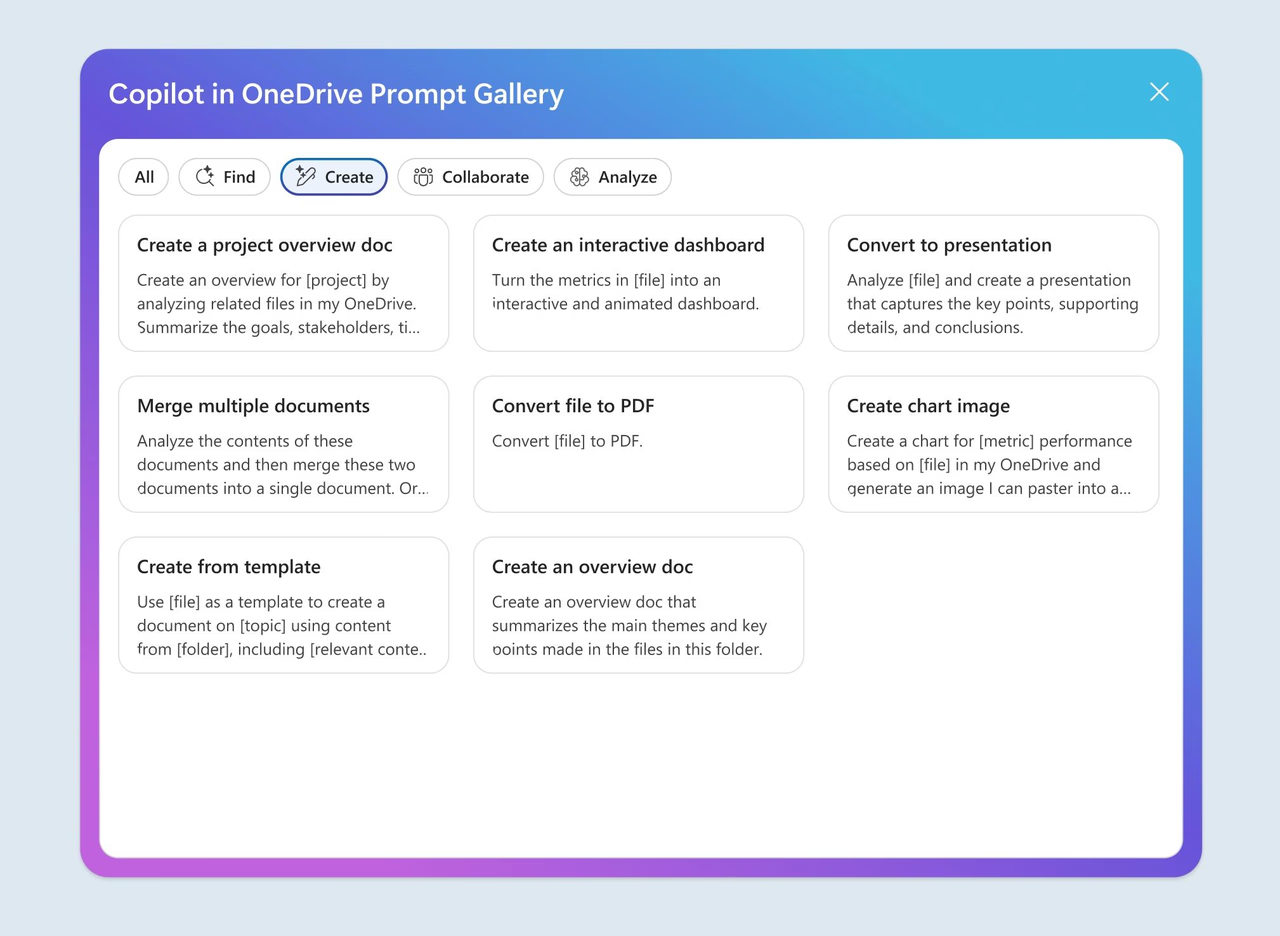
Microsoft's published visual. Source: Microsoft. · Verified 2026-11-08
The new Prompt Gallery gives OneDrive users ready-to-use Copilot prompts for common file tasks. It rolled out in October 2026 and is available on the web worldwide.
Key points
- Open Prompt Gallery from the Copilot button in the bottom-right corner of OneDrive.
- The + button in the Copilot chat pane also provides access through Open Prompt Gallery.
- Prompts are grouped into Create, Analyze, Find, and Collaborate.
- Users can customize prompts to fit their needs.
What to do
Update OneDrive adoption guidance with both ways to open Prompt Gallery. Show users the four task categories and how to customize a prompt for their file task. No rollout action is specified for IT admins.
Timeline
- 28 September 2026 Published
- October 2026 In Microsoft’s monthly deck
- October 2026 Preview (planned, not confirmed) Microsoft 365 Roadmap target: Roadmap preview target; preview availability is not confirmed.
- October 2026 Rollout end (confirmed) The deck reports that the feature rolled out in October.
Speaker notes
Prompt Gallery gives users a starting point instead of requiring them to write a prompt from scratch. Demonstrate the Copilot button in OneDrive, then show the alternative route through the + button in the Copilot chat pane. Explain the Create, Analyze, Find, and Collaborate categories as ways to browse common file tasks. Users can adapt the prompts to their needs. Microsoft confirms that the feature rolled out in October, and the roadmap lists web availability worldwide. The sources do not specify licence requirements or admin controls.
Sources and links
- Roadmap Microsoft 365 Roadmap 571308
- Microsoft deck Microsoft deck What's New in Microsoft Copilot, October 2026 (slide 15)
- Blog Microsoft blog: What’s New in Microsoft Copilot | October 2026
Area, status, change type, licence and flags are indicative. Always open the source before you act on a card.